

Specialized in MikroTik RouterBOARDs and RouterOS.
MikroTik Consultant over 14 and authorized Mikrotik Certified Trainer Partner since 2011.
I'm the CEO of Wireless Netware and a co-founder of Hubsmart.
Notice: A non well formed numeric value encountered in /home/tvoippanel/public_html/wp-content/themes/kallyas/theme-functions-override.php on line 3061
Notice: A non well formed numeric value encountered in /home/tvoippanel/public_html/wp-content/themes/kallyas/framework/zion-builder/hg-framework/inc/image-resizer/class-image-resize.php on line 218
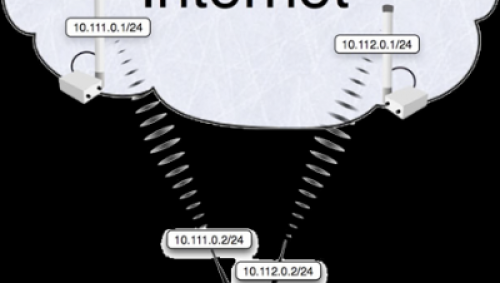
MikroTik RouterOS Workshop, Load Balancing
Thursday, 24 August 2017
Load Balancing Load Balancing is a technique to distribute the workload across two or more network links in order to maximize throughput, minimise response time, and avoid overload Using multiple network links with load balancing, instead of single network links, may increase reliability through redundancy Types of Load Balancing Sub-Packet Load Balancing (MLPPP) Per Packet
- Published in Blog
Notice: A non well formed numeric value encountered in /home/tvoippanel/public_html/wp-content/themes/kallyas/theme-functions-override.php on line 3061
Notice: A non well formed numeric value encountered in /home/tvoippanel/public_html/wp-content/themes/kallyas/framework/zion-builder/hg-framework/inc/image-resizer/class-image-resize.php on line 218
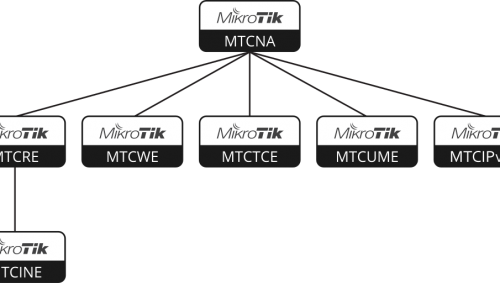
MikroTik Training: Now 30% off for CANwisp attendees!
Thursday, 10 August 2017
I know it’s still only August, but the CANWISP Members Meeting is only a few weeks away, and of course I’m looking forward to seeing many of our clients and alumni at the CANwisp trade show in October. We’re especially excited because we’ve seen how many Canadian ISPs/WISPs have added MikroTik to their network product
- Published in Blog
Notice: A non well formed numeric value encountered in /home/tvoippanel/public_html/wp-content/themes/kallyas/theme-functions-override.php on line 3061
Notice: A non well formed numeric value encountered in /home/tvoippanel/public_html/wp-content/themes/kallyas/framework/zion-builder/hg-framework/inc/image-resizer/class-image-resize.php on line 218

MikroTik News August 2017 (Issue #77)
Friday, 04 August 2017
In this MikroTik newsletter: new CRS317-1G-16S+RM with 16 x SFP+ cages, $399 new low cost small size 5GHz CPE SXTsq Lite5, only $46 new wAP LTE kit with 3G/4G/LTE modem, $119 new 6GHz long range DynaDish 6, $179 new long range LHG HP5 and LHG XL HP5, from $69 Traffic Generator tool MUM 2017 schedule
- Published in Blog
Notice: A non well formed numeric value encountered in /home/tvoippanel/public_html/wp-content/themes/kallyas/theme-functions-override.php on line 3061
Notice: A non well formed numeric value encountered in /home/tvoippanel/public_html/wp-content/themes/kallyas/framework/zion-builder/hg-framework/inc/image-resizer/class-image-resize.php on line 218
MikroTik Newsletter #2017-8, July 12, 2017
Thursday, 13 July 2017
In this newsletter: – new Cloud Router Switch 317-1G-16S+RM with 16 x SFP+ cages – new long distance 6GHz DynaDish 6 – CRS125-24G-1S-RM EOL, replaced by CRS326-24G-2S+RM – RB433GL EOL, replaced by RB435G ====================== The new Cloud Router Switch 317-1G-16S+RM is a rack-mountable manageable switch with Layer3 features. It has 16 SFP+ ports for high
- Published in Blog
Notice: A non well formed numeric value encountered in /home/tvoippanel/public_html/wp-content/themes/kallyas/theme-functions-override.php on line 3061
Notice: A non well formed numeric value encountered in /home/tvoippanel/public_html/wp-content/themes/kallyas/framework/zion-builder/hg-framework/inc/image-resizer/class-image-resize.php on line 218

Choose how and where to access your business
Thursday, 27 April 2017
No matter where the Remote Employees are located it is important how reliable, secure their connectivity is. What is important for IT department to simplify connectivity and won’t lose the security with a cost-effective solution? (And why would you want to)? It’s common for companies to have at least one employee who works remotely. To increase the efficiency
- Published in Blog